Attendance Request Center
The Attendance Request Center (ARC) lets you ask players whether they're available for a match. Responses come back into the app so you always know who you can count on.
The ARC becomes available only after the match setup is fully completed.
Sending an attendance request
- Open the match - either via What's next after completing setup, or by opening the match from the matches list
- Make sure you're on the Attendance tab
- Enable the Attendance request center toggle on top of the players list
- Tap Attendance request center after it's been activated
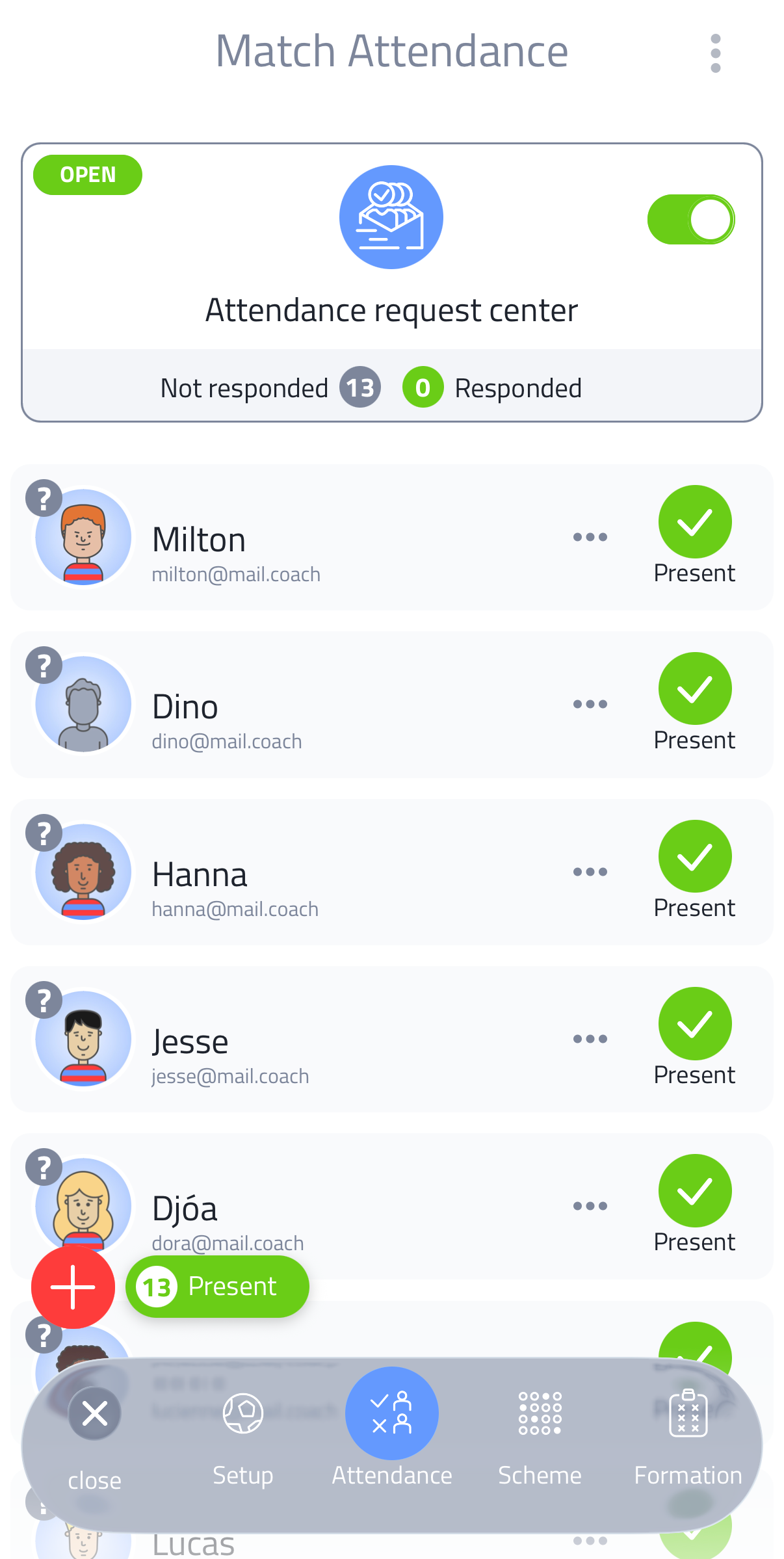
If the toggle is not available, the match start time is too close or already in the past.
The ARC takes you through four steps:
- End date - set when players can no longer respond. Choose a number of hours before kick-off (freely configurable), a specific date and time, or close it immediately.
- Add message - optionally add a message that appears on the attendance page and in all emails and shared links sent to players
- Send email - send the request by email. Per player (only if an email address is stored in their profile) or in one go to all players at once.
- Share link - share a link. Per player (they receive a personal link to confirm their own attendance) or a general link that opens a page where every player finds their own name and indicates whether they're attending.
You are always in charge. If a player lets you know outside the app that their status has changed, just update the attendance list yourself.
Tracking responses
The ARC shows all players in your match selection. Their response is shown by the row colour:
- Green row - player responded: present
- Orange row - player responded: absent
- No colour - no response yet (shows a question mark on the avatar)
A counter at the top shows how many players have responded and how many have not.
Players marked as absent are no longer available in the Lineup, Scheme and Formation.
When responses differ from your attendance list
If a player responds with a status that differs from what you set manually on the attendance list, the app shows a Player status updates notification. You can choose to Accept and apply the changes or Ignore them.
When to send
You can send an attendance request at any point after completing the match setup. The earlier you send it, the more time players have to respond before matchday.