Livestream Setup
The Livestream is one of Coach Amigo's unique features. While you track events as a coach, fans can follow the match live - seeing goals, chances and substitutions as they happen. No app needed: the Livestream opens in any browser.
Enabling the Livestream
You can enable the Livestream in two places:
- During match setup, in the match settings step
- On the Setup tab of an already created match - tap the Livestream open/closed row to open the settings, then turn on or off the toggle
You can enable the Livestream well in advance or just before kick-off. The Setup tab shows the Livestream status at a glance: Livestream open with a green dot, or Livestream closed with a grey dot.
Livestream options
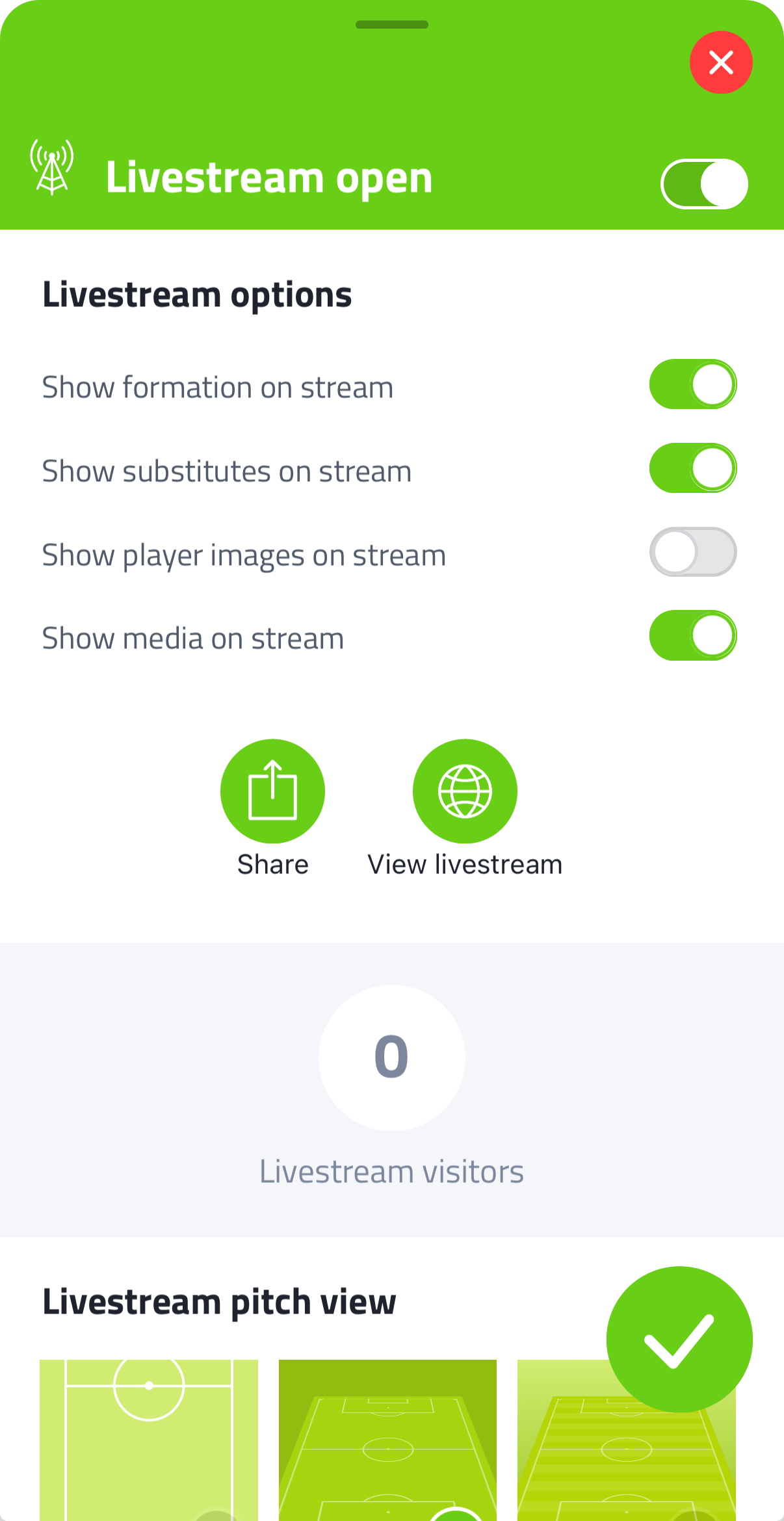
Inside the Livestream settings you can configure what fans see:
- Show formation on stream - show the actual lineup on the Livestream page
- Show substitutes on stream - show substitutions made during the match in the Livestream events list
- Show player images on stream - show player profile photos
- Show media on stream - show shouts, photos and videos posted during the match
Under Livestream pitch view, choose the pitch perspective that visitors see when they view the formation on the Livestream page. Multiple styles are available.
These settings can be adjusted in Team Setup as defaults, or overridden per match.
Sharing the Livestream
Tap Share to send the Livestream link to fans, parents and players. They can open it in any browser.
Previewing the Livestream
Tap View livestream to see exactly what the audience sees, including the score, timeline and any events you've entered.
Livestream visitors
The Livestream settings panel shows the total number of unique visitors the Livestream has had.
During the match
Everything you track in Coach Amigo - goals, chances, cards, substitutions - appears on the Livestream in real time. The match clock runs live for the audience.
You can also post shouts, photos and videos to the Livestream. See Shouts, Photos & Videos for details.