Sharing the Lineup
Before a match you can share your starting lineup as a visual image.
How to share
- Open the match - the Setup tab opens automatically
- Tap Share formation
- (When using subs management) Select which player block to share by tapping the block indicators at the bottom of the screen
- Tap the red share button and choose how to share: WhatsApp, email, save image, etc.
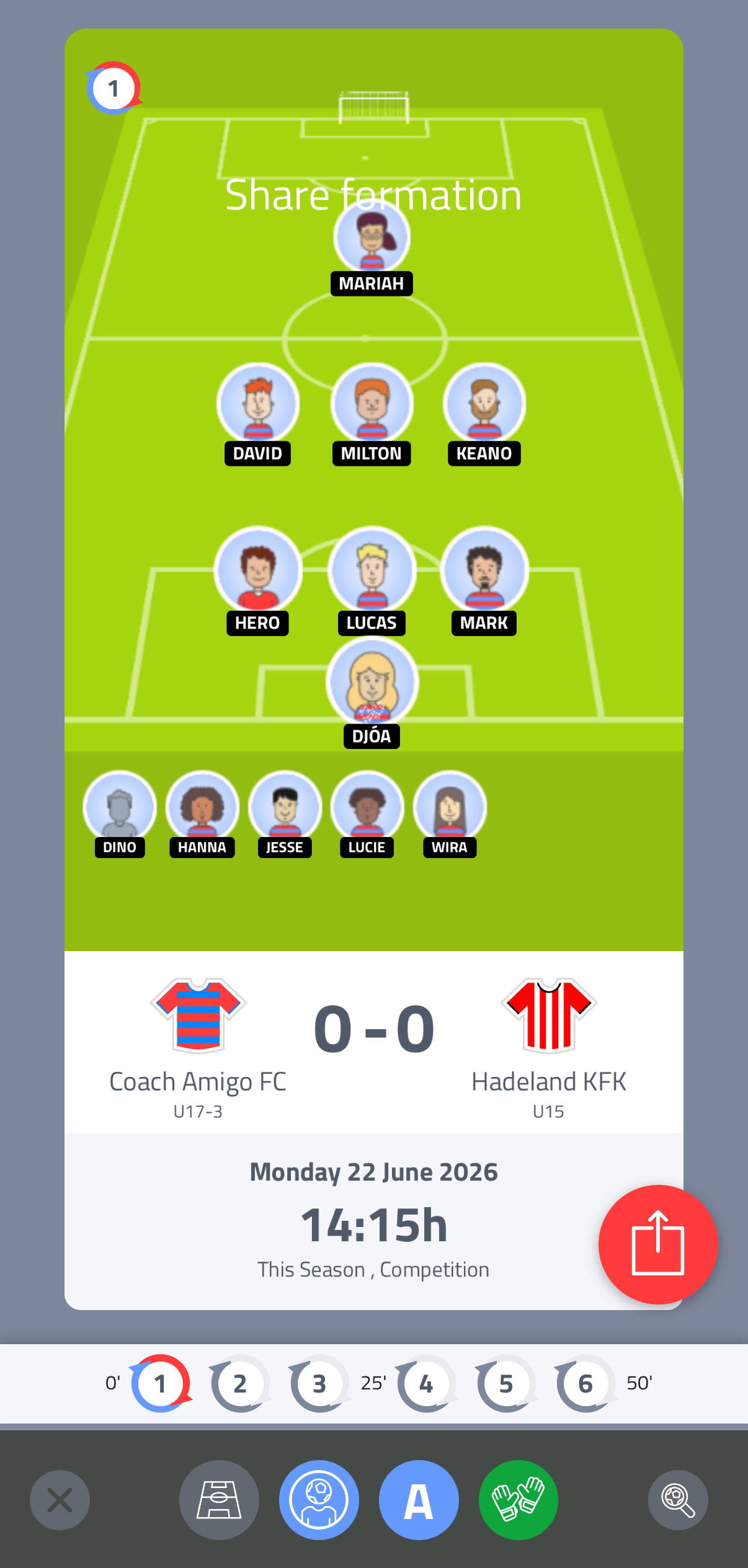
Display options
You can choose how the formation is shown on the pitch:
- Pitch type - choose your preferred visual style (field, futsal)
- Player photos or shirts - show profile photos or club shirts in the formation
- Player names - show or hide player names on the pitch
- Keeper shirt - set the colour of the goalkeeper's shirt in the shared image
- Zoom - use the zoom tool to enlarge the shared image
When to share
You can share the lineup(s) at any point after setting up the match - before or on matchday. A lineup image is a snapshot, so if you make changes after sharing, share it again to update people.