Tracking Chances
Track every chance during the match to build a complete picture of your team's attacking performance.
Recording a chance
Tap the shirt icon of your team or the opponent's team in the time panel. You can also tap a player directly on the pitch - the same panel opens, but the player is already pre-assigned to the chance. The Type of event panel opens. Choose the type:
- Chance
- Shot
- Header
- Freekick
- Penalty
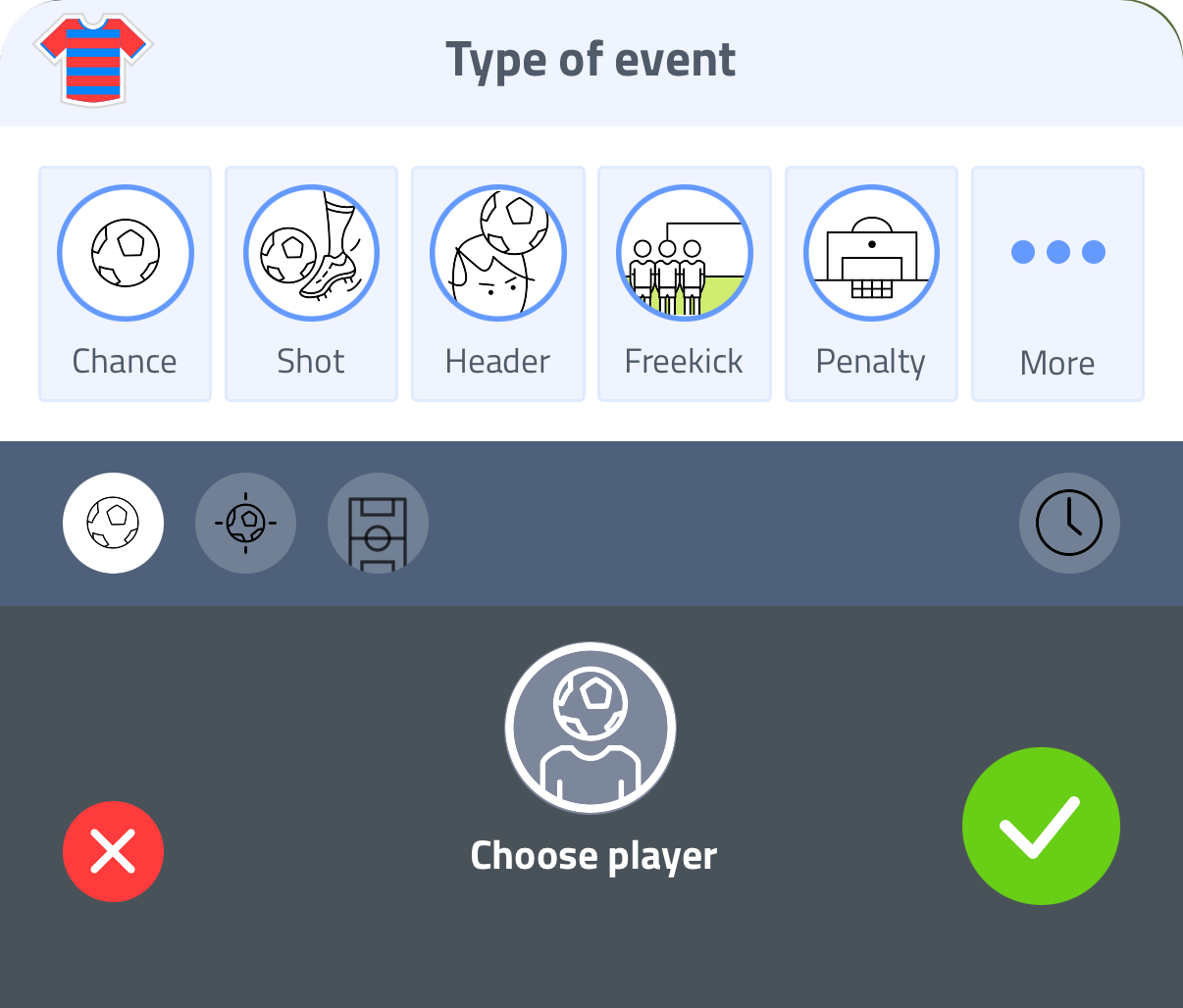
The flow is identical to recording a goal: tap where the ball went in the goal net, tap where the shot was taken from on the pitch, choose the player, and adjust the minute if needed. The only difference is that this time it was a chance, not a goal. There is no assist for chances.
Tap More (...) in the panel to record other event types such as cards, corners and offsides. See Tracking Events.
Tap the green checkmark to save.
All details are optional. Tap a chance type and immediately tap the green checkmark - the chance is recorded.
For both teams
You can record chances for your team and the opponent, giving you a full picture of the match in your statistics.
Editing or removing chances
- Edit - tap any chance in the Stream timeline to adjust the details
- Delete - swipe left on a chance to remove it
In statistics
All recorded chances appear in your player statistics with a breakdown per player and match.